

Your question is: Can I stick my magsafe charger to metal? Yes, you can stick your MagSafe charger to metal, but there are crucial factors to consider regarding performance, safety, and potential damage. This guide breaks down what you need to know before attaching your MagSafe charger to metallic surfaces.
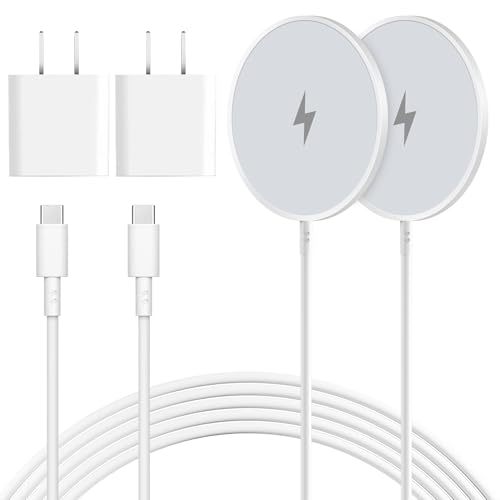
Ever found yourself holding your MagSafe charger, looking around for a convenient spot, and wondering if that sleek metal desk leg or refrigerator door would be a good place to stick it? It’s a common question for anyone who loves the satisfying snap of MagSafe. Many users assume metal is the ideal magnetic surface, but the reality is a bit more nuanced. Let’s dive into the specifics to ensure you’re using your MagSafe charger safely and effectively, without any unwanted surprises.
Understanding MagSafe Magnetism and Metal Surfaces
The magnetic attraction of MagSafe is undeniably convenient, but sticking the charger to just any metal surface isn’t always a straightforward “yes.” While the magnets will indeed attach, the type of metal and its properties play a significant role in how well and how safely your charger will function.

What Makes MagSafe Stick? The Science Behind the Snap
MagSafe technology relies on a precise arrangement of magnets embedded within the charger and compatible Apple devices. These magnets are designed to create a strong, yet easily detachable, magnetic bond. When you bring the charger close to a compatible iPhone, it aligns perfectly for efficient wireless charging.
The strength of this magnetic connection is engineered for specific purposes, primarily to align with your iPhone and provide a stable charging platform. This engineered magnetism is what allows the charger to snap into place with that signature click. The magnets are powerful enough to hold the charger securely to the back of an iPhone, even when it’s being picked up.
Why Not All Metals Are Created Equal for MagSafe
While magnets attract most ferromagnetic metals (like iron, nickel, and cobalt), not all metals are created equal when it comes to MagSafe compatibility. The key is whether the metal itself can be magnetized or if it interferes with the magnetic field.
Metals like aluminum, stainless steel, and brass are common. While some of these may exhibit a weak magnetic attraction, they are generally not as strongly magnetic as iron-based materials. This means the hold might not be as secure, and more importantly, some metals can actually disrupt or shield the magnetic field, affecting charging performance.
Can You Stick Your MagSafe Charger to a Metal Desk?
Attaching your MagSafe charger to a metal desk is a common scenario. The practicality of having your charger readily accessible is appealing, but it’s crucial to assess the desk’s material and its potential impact on charging.
Assessing the Metal Type: Ferrous vs. Non-Ferrous
The type of metal your desk is made from is the most critical factor. Ferrous metals, which contain iron, are typically magnetic. This includes materials like steel.
Non-ferrous metals, such as aluminum, copper, and brass, are not magnetic. While your MagSafe charger might still stick to them due to its own strong magnets, the attraction will be significantly weaker and less reliable. This distinction is vital for understanding potential performance issues.
The Impact of Metal on Charging Efficiency
Sticking your MagSafe charger to a metal surface, especially one that is not ideal, can interfere with the wireless charging process. The magnetic field generated by the charger needs to reach the coil in your iPhone without significant obstruction.
Thick or highly conductive metals can create eddy currents, which can dissipate energy and reduce charging speed. In some cases, it might even prevent charging altogether if the magnetic field is too distorted. Always ensure the metal surface isn’t excessively thick or dense.

Sticking MagSafe to Appliances: Refrigerator Doors and More
Many people consider sticking their MagSafe charger to a refrigerator door or other metallic appliances. This offers a convenient charging spot, but safety and performance are paramount.
Refrigerator Doors: A Magnetic Hotspot?
Refrigerator doors are often made of stainless steel, which can be ferrous or non-ferrous depending on its composition. Many stainless steel refrigerators have enough iron content to create a noticeable magnetic pull. This means your MagSafe charger will likely stick firmly.
However, the thickness of the refrigerator door and any internal components could potentially affect the magnetic field. It’s generally safe to try, but keep an eye on charging performance. If charging is slow or intermittent, the metal might be interfering.
Other Metallic Appliances and Surfaces
Beyond refrigerators, consider other appliances like washing machines, dryers, or even metal filing cabinets. The same principles apply: assess the metal type and its thickness.
Always ensure the appliance is stable and not prone to vibrations that could dislodge the charger. For any appliance with significant electrical components or heat generation, exercise extra caution. The heat could potentially affect the MagSafe charger’s internal components over time.
What Happens When MagSafe Meets Metal? Potential Issues and Solutions
While the magnetic attraction is strong, placing your MagSafe charger on metal isn’t without its potential pitfalls. Understanding these issues can help you avoid them and ensure optimal functionality.
Weakened Magnetic Hold and Slipping
If the metal surface isn’t strongly magnetic or is too thick, the MagSafe charger might not hold as securely as it does to the back of an iPhone. This can lead to the charger slipping or falling off unexpectedly.
To mitigate this, ensure the metal surface is clean and dry. If the hold is still weak, consider using a dedicated MagSafe mount or stand that incorporates metal but is designed for stability. These accessories often have reinforced magnetic bases.
Overheating Concerns with Metal Contact
Wireless charging inherently generates some heat. When a MagSafe charger is attached to a conductive metal surface, that surface can act as a heatsink, drawing heat away. This might sound beneficial, but excessive heat can be detrimental to both the charger and your device.
If the metal surface is very conductive and the charging is prolonged, it could potentially lead to the charger or phone overheating. It’s important to monitor the temperature during charging. If either feels excessively hot, remove the charger from the metal surface.
Interference with Charging Signals
Certain metals, particularly those with high conductivity or specific magnetic properties, can interfere with the inductive charging coils. This interference can manifest as slower charging speeds or complete charging failure.
If you experience charging issues, try moving the MagSafe charger to a different metal surface or a non-metallic surface to see if the problem resolves. This helps isolate whether the metal is the culprit.
Best Practices for Sticking Your MagSafe Charger to Metal
To maximize the benefits of MagSafe’s magnetic capabilities while minimizing risks, follow these best practices when attaching it to metal surfaces.
Choose the Right Metal Surfaces
Opt for metal surfaces that are known to be magnetic and are not excessively thick. Clean, solid steel surfaces are generally good candidates. Avoid thin, flimsy metal sheets that might bend or warp.
If you’re unsure about the metal’s properties, a simple magnet test can help. If a common fridge magnet sticks well, your MagSafe charger likely will too, though performance might still vary.
Ensure a Secure and Stable Placement
Always place your MagSafe charger on a flat, stable surface where it won’t be easily knocked off. Consider the environment – is it a high-traffic area where accidental bumps are likely?
For charging on the go, or if you need extra security, a MagSafe car mount or a desk stand designed to hold the charger is a much safer bet than relying on a random metal surface. These accessories are engineered for secure attachment.
Monitor Charging Performance and Temperature
After attaching your MagSafe charger to a metal surface, take a moment to check that charging is initiated correctly and proceeding at a reasonable speed. Feel the charger and your phone periodically to ensure they aren’t getting excessively hot.
If charging seems slow or the devices are unusually warm, disconnect the charger and try a different location. Consistent monitoring ensures you catch any potential issues early.
Alternatives and Accessories for Secure MagSafe Placement
If you find yourself frequently wanting to place your MagSafe charger in specific spots, relying on random metal surfaces might not always be ideal. Fortunately, there are many accessories designed to enhance MagSafe usability.
MagSafe Mounts and Stands: The Professional Solution
Dedicated MagSafe mounts and stands are designed to provide a stable and secure attachment point for your charger. These often feature strong magnetic bases or clamps that hold the MagSafe puck firmly.
These accessories are perfect for your desk, car, or even bedside table, ensuring your charger stays put and aligns perfectly with your iPhone. They eliminate the guesswork and potential issues associated with random metal surfaces.
![Car Phone Holder for Magsafe [78+LBS Strongest Suction & 2400gf Magnetic] 360° Adjustable Car Phone Mount, Phone Holders for Your Car for iPhone 17 Pro Max 16 15 14 13 12 Air Plus (Carbon Fiber)](https://m.media-amazon.com/images/I/41zx7xO9LPL._SL500_.jpg "Car Phone Holder for Magsafe [78+LBS Strongest Suction & 2400gf Magnetic] 360° Adjustable Car Phone Mount, Phone Holders for Your Car for iPhone 17 Pro Max 16 15 14 13 12 Air Plus (Carbon Fiber)")
Magnetic Plates and Adapters
For surfaces that aren’t inherently magnetic, you can use magnetic plates that stick to virtually any surface. You can then attach your MagSafe charger to these plates.
However, be cautious with this approach. Ensure the magnetic plate itself is strong enough to hold the MagSafe charger securely, and that it doesn’t interfere with the charging field.

Troubleshooting Common MagSafe-on-Metal Issues
Encountering problems when attaching your MagSafe charger to metal? Here’s how to troubleshoot.
Charger Won’t Stick Firmly
If the MagSafe charger doesn’t feel secure, the metal surface might be too thin, non-magnetic, or coated with a material that reduces magnetic adhesion. Try a different metal surface or use a dedicated MagSafe accessory.
iPhone Not Charging or Charging Slowly
This often indicates interference from the metal. Ensure the MagSafe charger is centered correctly and that the metal surface isn’t excessively thick or dense. Removing any case from your iPhone can also help.
Charger or Phone Overheating
This is a critical issue. Immediately detach the charger and phone from the metal surface. Allow them to cool down completely. Try charging on a non-metallic surface or a surface that dissipates heat less aggressively.

Can I Stick My MagSafe Charger to Metal? The Verdict
So, to definitively answer, can I stick my MagSafe charger to metal? Yes, you can, but with important caveats. The success and safety depend heavily on the type of metal, its thickness, and how it interacts with the MagSafe charger’s magnetic field and heat dissipation.
While the convenience of snapping your MagSafe charger onto a metal surface is appealing, always prioritize functionality and device safety. If you notice any performance degradation or unusual heat, it’s best to find an alternative placement. Investing in official MagSafe accessories or well-designed third-party mounts will offer a more reliable and secure charging experience.

Frequently Asked Questions about MagSafe and Metal
Will sticking my MagSafe charger to metal damage it?
Generally, no. The magnets are designed to be robust. However, excessive heat or physical stress from a poorly chosen metal surface could potentially cause long-term issues.
Can I stick my MagSafe charger to a metal car dashboard?
It depends on the material. Many car dashboards have metallic components, but they are often covered by plastic or leather. If there’s a exposed, solid metal section that’s magnetic, it might work, but a dedicated car mount is far more reliable and safer.
Does the metal case of my iPhone affect MagSafe charging if the charger is on metal?
Your iPhone’s metal case is designed to work with MagSafe. If you’re sticking the charger to metal, the primary concern is the external metal surface, not your iPhone’s case.
What if the metal surface is painted?
A thin layer of paint is unlikely to cause significant issues. However, thick or textured paint coatings might reduce the magnetic strength and stability of the attachment.
Can I stick my MagSafe charger to a metal charging stand?
Yes, absolutely! Metal charging stands designed for MagSafe are engineered to work perfectly, providing a secure hold and optimal charging alignment.
Conclusion: Secure Charging with Smart Placement
Ultimately, the question of can I stick my MagSafe charger to metal is answered with a qualified yes. While the magnets will adhere to many metallic surfaces, it’s your responsibility as a user to ensure that placement is conducive to efficient and safe charging. Always observe for signs of interference, such as slow charging speeds or excessive heat.
For the most reliable and convenient experience, consider investing in accessories specifically designed for MagSafe, like stands and mounts. These provide the secure magnetic attachment you desire without the potential drawbacks of random metal surfaces. By understanding the nuances, you can enjoy the full benefits of your MagSafe charger, wherever you choose to place it.

Belayet Hossain is a Senior Systems Analyst and Web Infrastructure Expert with a Master’s in Computer Science & Engineering (CSE). Specializing in the “Meta” of the digital world, he applies his engineering background to rigorously test hosting services, domain strategies, and enterprise tech stacks. Belayet translates technical specs into actionable business intelligence. Connect with Belayet Hossain on Facebook, Twitter, or read more about Belayet Hossain.